Razorpay Payment Link on Every Invoice
Customers tap. They pay. You get notified.
Embed a Razorpay payment button on any invoice. Customers pay with UPI, card, or net banking from the invoice itself, and you're notified the moment funds hit. Stop chasing payments.
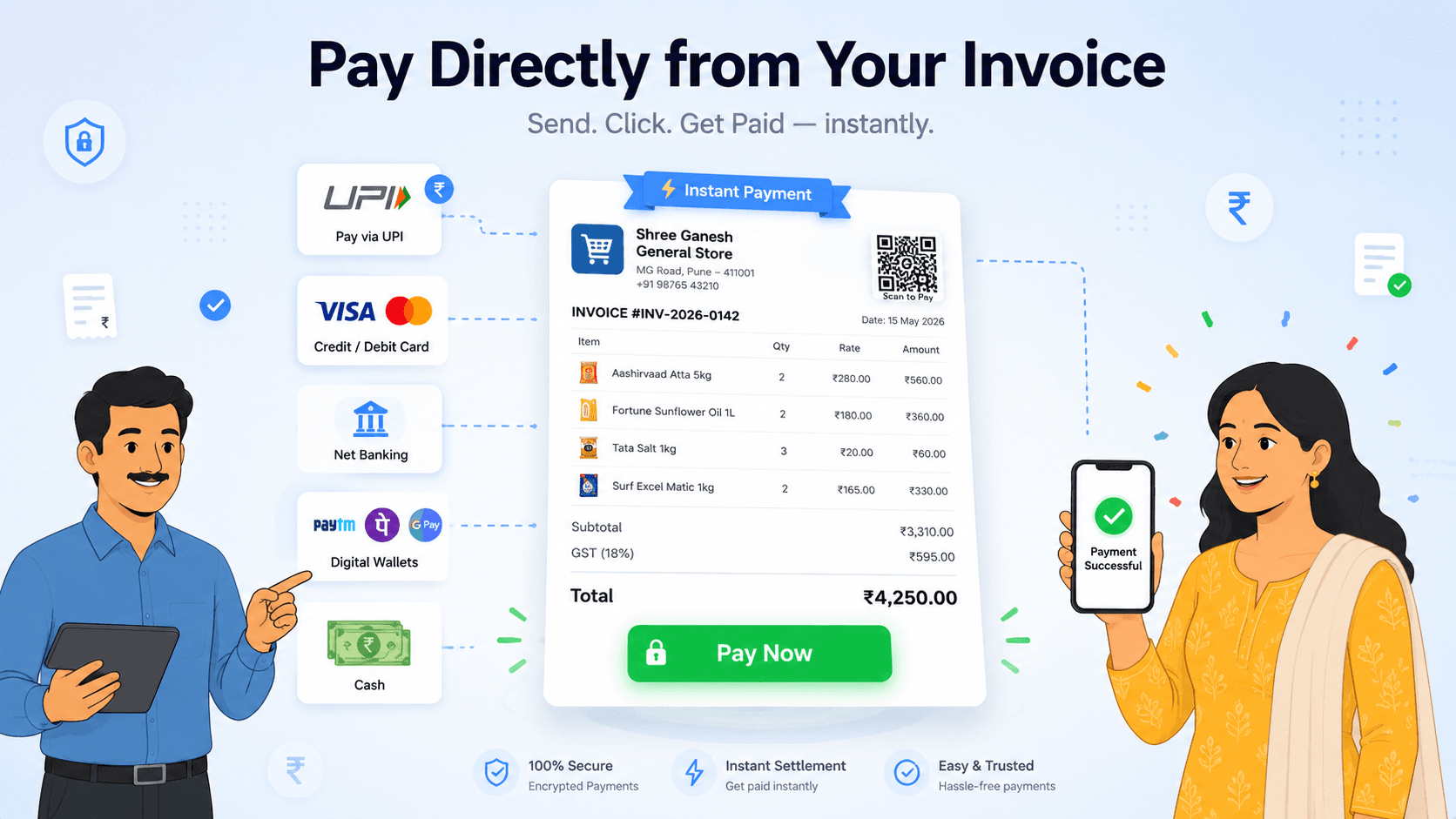
Key Highlights
- One-tap pay button on every shareable invoice
- UPI, card, net banking, all supported
- Real-time notification when paid
- Works with your existing Razorpay account
What do you get out of it?
Every bill can carry its own way to be paid. The customer taps, pays by UPI or card, and the payment lands against that invoice instead of arriving as an unexplained transfer you have to match by hand.
How does it work?
- 1
A link tied to the invoice
The link belongs to that specific bill, so when it is paid the money is already attached to the right invoice and the right customer.
- 2
They pay the way they prefer
UPI, card or net banking through the payment gateway — the customer picks, and you do not have to support each method yourself.
- 3
The invoice updates on payment
Confirmation comes back automatically, so the bill's status and the customer's outstanding balance move without anyone re-keying anything.
- 4
Travels with the bill
The link goes out on WhatsApp or email alongside the invoice, so receiving the bill and being able to pay it are the same event.
What situations does it handle?
A customer who pays part now
Part payments record against the invoice with the balance carried forward, so a partial settlement is handled rather than refused.
An old unpaid bill
Send the link again with a reminder. Most late payment is friction rather than refusal.
A customer who prefers cash
Record the cash payment as normal — the link is an option offered, not a requirement imposed.
How do you get more out of it?
- Attach the link to every credit sale. Making payment easy costs nothing and shortens your receivable cycle.
- For B2B customers, send it to whoever actually processes payments rather than the person who placed the order.
- Watch which customers use the link — the ones who do are the ones to offer credit to more freely.
Common questions
Can customers pay my invoice online?
Yes. Each invoice can carry its own payment link, so the customer pays by UPI, card or net banking and the payment lands against that specific bill.
Does the invoice update when a customer pays online?
Yes. Confirmation returns automatically, so the invoice status and the customer's outstanding balance both move without anyone entering the payment by hand.
Which payment methods can customers use?
UPI, cards and net banking through the payment gateway, so the customer chooses whichever they already use.
Included free in every plan
Razorpay Payment Link on Every Invoice isn't an upgrade or paid add-on. It sits inside Wiseventory alongside GST billing, inventory, POS, GSTR-1 filing and the rest. One simple price for everything.
Free tools you can use right now
No signup, no watermark — they run in your browser.