Mobile billing app
Your shop runs from the phone already in your pocket
Raise a GST bill, scan the barcode with your camera, print the receipt to a Bluetooth printer, and take the payment — without a counter PC, a scanner gun or a billing machine.
Free plan doesn't expire · Works on the phone you own · Same account on phone and PC
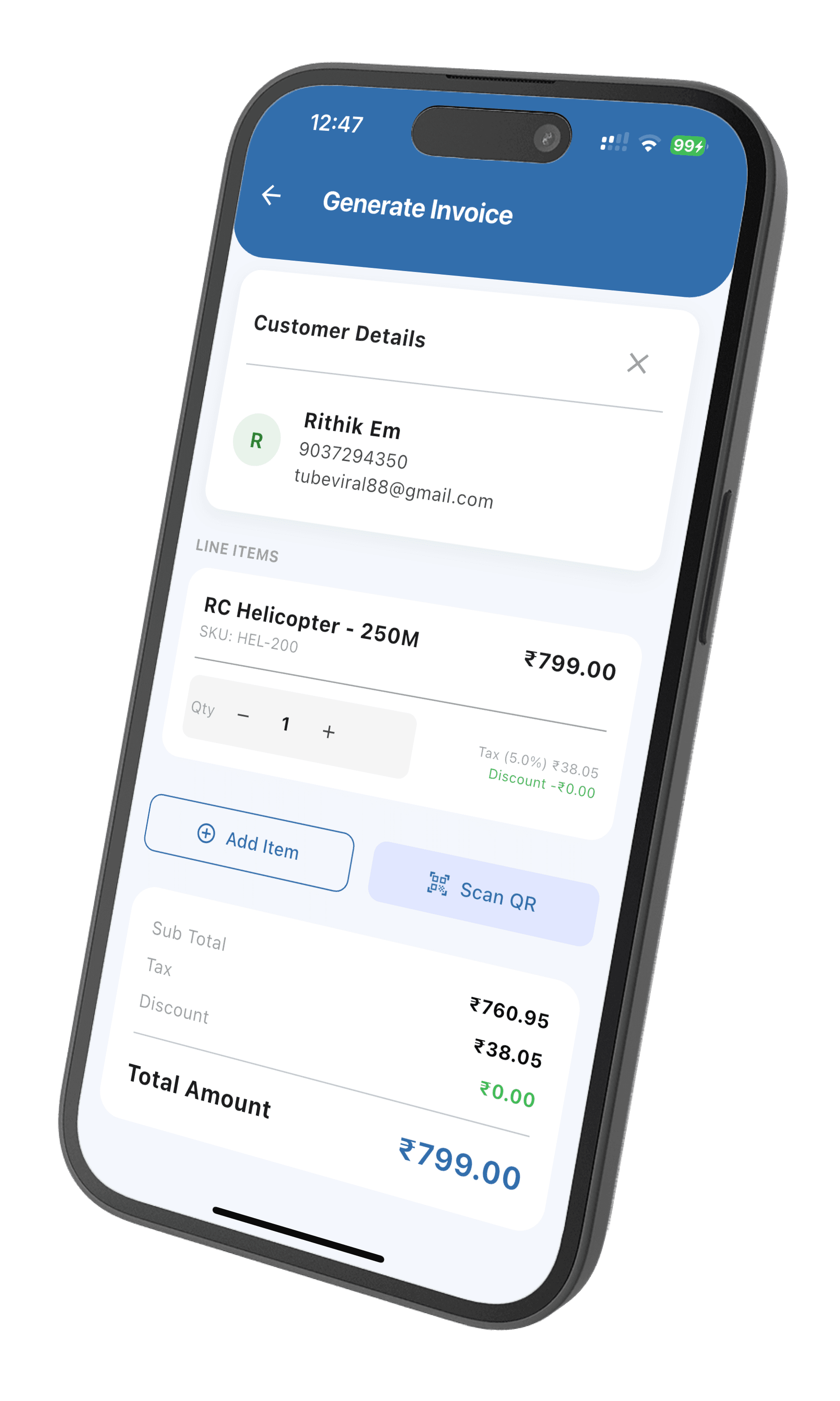
A billing machine costs money. This one you already bought.
A counter terminal, a scanner gun and a printer is a serious amount of capital to tie up before you have sold anything. An Android phone and an 80mm printer does the same job, and the phone is already in your pocket.
Bill from the counter or the doorstep
Raise a GST invoice on your phone — at the counter, on a delivery round, or standing in a customer's godown. The bill is the same document your PC would produce.
Scan barcodes with the camera
The phone camera is the scanner. Point it at the barcode and the product drops onto the bill, priced and stock-checked. No separate scanner gun to buy.
Print to a thermal printer
Pair an 80mm Bluetooth receipt printer once and print from then on. The customer walks away with paper, not a promise of a PDF.
Same shop on every screen
Everything lives in your account, not on the handset. Bill on the phone, open the laptop at home, and the day's sales are already there.
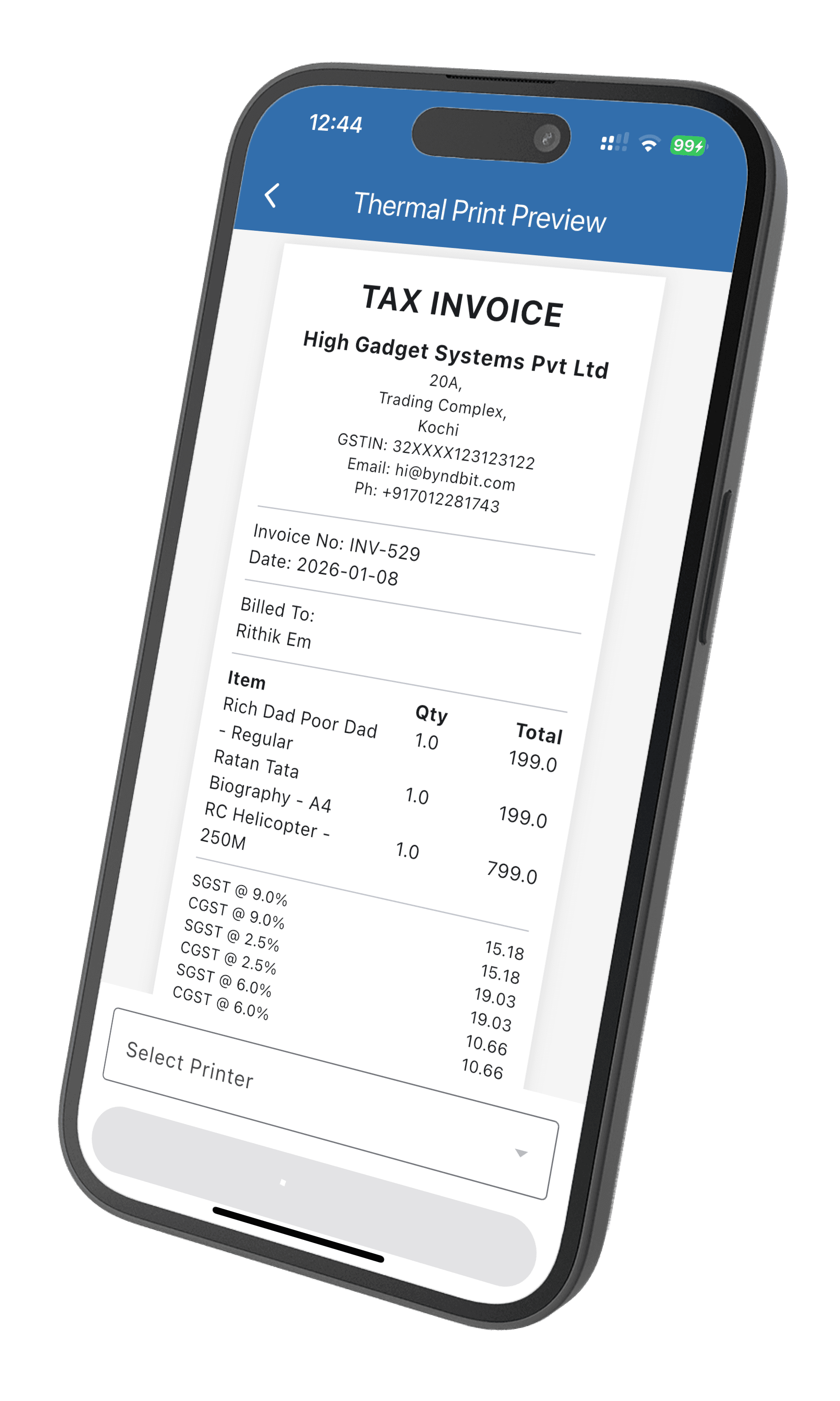
Receipts
The customer leaves holding paper
Pair an 80mm Bluetooth thermal printer once. From the next bill onward it is a single tap, and the receipt carries your shop name, GSTIN, the item lines and the CGST and SGST split at the bottom — the same numbers that reach your GSTR-1.
- Bluetooth on the phoneStandard 80mm receipt printers, the kind sold in every electronics market. Pair it in phone settings, pick it in the app.
- USB and USB OTG on the desktopOn Windows, Mac and Linux the app prints through your system printer, so a USB or USB OTG connected receipt printer works the way any other printer does.
- Or skip the paperSend the same bill on WhatsApp with a payment link attached. More on WhatsApp billing.
Getting started
First bill in about five minutes
You do not have to load your whole shop before you can sell anything. Put in the handful of items that move fastest, bill those today, and add the rest as stock comes in.
01
Install and sign up
Get the app from Google Play and create your business. Your GSTIN is optional — leave it blank and bills come out as plain invoices.
02
Add what sells most
Type in ten or twenty fast movers with their price. Already have a list? Fill the Excel template on a PC and upload it instead.
03
Pair your printer
Pair the 80mm Bluetooth printer in phone settings, then choose it once inside the app. It is remembered after that.
04
Bill your first customer
Scan or tap the item, take cash or UPI, print. Stock comes down and the sale is on your dashboard immediately.
Two phones, one shop
Your cashier can bill. Your cashier can't see your margins.
Add a staff member as a cashier and they log in on their own phone. They can raise bills, add customers and record payments. Reports, financials, purchase orders and what you paid your supplier stay with you.
Because stock lives in your account rather than on a handset, two people billing at the same time from different phones cannot sell the same last unit twice. See how the counter works.
Questions shopkeepers ask before installing
Can I use my phone as a billing machine?
Yes. Raise GST invoices, scan barcodes with the camera, take payments and print to a Bluetooth thermal printer — all from an ordinary Android phone. Nothing about the bill is a lesser version of what a PC produces: same invoice number series, same tax treatment, same document.
How do I connect a thermal printer to the app?
Pair the printer with your phone over Bluetooth, then pick it inside the app. It remembers the printer, so from the second bill onward printing is one tap. Standard 80mm receipt rolls — the kind sold in every electronics market — are what it prints to. On a Windows, Mac or Linux desktop the app prints through your system printer instead, including USB and USB OTG connected receipt printers.
Does the app need an internet connection?
Yes. Your products, stock and customer ledgers live in your Wiseventory account rather than on the handset, which is what lets the same shop appear on your phone, your counter PC and your accountant's browser at the same moment. A bill raised on the phone is visible everywhere else immediately.
Can my staff bill from their own phones at the same time?
Yes. Add a staff member as a cashier and they log in on their own phone with their own account. A cashier can bill, add customers and record payments, but reports and financials stay with the owner. Stock deducted on one phone is reflected on every other device straight away, so two people billing at once cannot oversell the same item.
Is there an iPhone app?
The native app is on Google Play for Android. On an iPhone or iPad, open Wiseventory in the mobile browser — billing, stock and reports all work there. A native iOS app is on the roadmap and registered users will hear when it lands.
What does the mobile app cost?
The app is free to download and the free plan does not expire. It carries monthly caps on how many invoices and products you create; when your shop outgrows them, one paid plan lifts the caps and includes every feature. There are no tiers to compare and nothing sold as an add-on.